2/9/2013

STEAM

Filed under: — Joe @ 12:26 pm

Adam Savage at the 2012 San Francisco Maker Fair explains with some brilliance how art is part of STEM (art is where it all begins), and how learning works best when it comes through “making what you can’t not make.”

This is just an excerpt from the end of the talk, the part most relevant to teaching and learning. The entire talk is well worth a listen.

Adam Savage

1/31/2013

On Being a Wizard

Filed under: — Joe @ 9:23 pm

There are many things to like about Gandalf, but one of the best is that he is a wizard not because he is some kind of magical creature, not because some other wizard bit him, but because he learned to be a wizard. When he has a serious question, what does he do? He goes to the library!

(First animated gif I made from “scratch,” too).

library

6/26/2012

Prometheus for the Truly Nerdy

Filed under: — Joe @ 12:45 pm

Short review of the new Ridley Scott movie:

It’s silly. Not even very scary.

Most important fact.

Yes, on the alien planet, entering the hollow mountain, the members of the scientific exploration team were using the Fenix TK-45 flashlight.

I sat through the whole movie thinking “is that a TK-45? I think it is.  I’ve been wanting to buy one of those!”

6/25/2012

Walking the Open Dissertation Walk

Filed under: — Joe @ 5:01 pm

Inspired by some conversations about copyright and third-party “sales” of dissertations, I decided it’s high time (embarrassed I haven’t done this before!) to get my dissertation out there and available for anyone who wants to read it.  Please do read, do comment, do share, and let me know that you did!

So, in several different formats, here we go.

First, if you don’t want to read the whole thing, why not just look at the cloud.

Or if you are inclined to read, you can download, or read here on the screen, the abstract.

GDE Error: Unable to load profile settings

And if that piqued your interest, you can either download or read right here the whole megillah:

GDE Error: Unable to load profile settings

3/29/2012

“Rebuilding the LMS”

Filed under: — Joe @ 3:25 pm

Campus Technology has a feature this month on “Rebuilding the LMS for the 21st Century.”  The reporter interviewed me at some length a few weeks ago, and did a pretty good job of capturing what I said.  All in all, a pretty good article. Of course, I would probably say it’s better to throw the LMS away and build something flexible and open.  But I guess that’s really what I said…

Not at all a bad interview, and if some of it is a bit aspirational, it is still, in essence, what we’ve done and are trying to do.

Nice professional coverage, and why not archive it here on my personal blog, too.

1/10/2011

Shooting in Arizona

Filed under: — Joe @ 8:15 pm

I don’t really have the wit or the writing skill to explain what troubles me most about the recent shooting in Arizona.  It’s troubling on so many levels.  There’s plenty of valid criticism to be made about the poisonous, venomous, right-wing rhetoric (and yes, you can find some on the left, too, but these days it’s overwhelmingly from the right) that passes for political “discourse.”  There’s plenty to be said about “don’t retreat, reload” and crosshairs on congressional districts, and “second amendment solutions.”  All of that is very dangerous, very ugly, and while it’s a symptom, not a cause, it’s still a troubling symptom.

But there’s also some other rhetoric that demands critique and examination and soul-searching.  I’m reading, from all sides of the political spectrum (but again, mostly from the right), things like “lunatic,” whackjob,” “psycho,” “nutter,” “head case.”

The main, primary tragedy here is the innocent people, including the young girl, who were killed or wounded. But there’s another tragedy, too.  And in a way there’s another victim.  The young man who did the shooting had a terrible illness.  And (as far as we know now) it was completely untreated.  We haven’t at this point heard anything from his family, but I know how hard it can be to treat someone with this illness.  How hard it can be to watch him deteriorate and separate from all that he was.  We do know that this young man acted out in class, and we do know that the school identified the problem as one of mental illness.  And I know that sometimes schools, even schools where they should know better, identify the kind of behavior he demonstrated as just “bad” behavior, without even asking for or requiring treatment.

Most people with the illness this young man had are not violent at all–at least not to other people.  And it’s a terrible shame that he killed and hurt so many innocent others.  But it’s also a terrible shame how vastly more often this illness kills and hurts the people who suffer from the illness–taking away the people that they were, even taking away their physical health or sometimes their lives.  And hurting–even if not with shooting–many innocent people, too–their families and friends.

We need to think about political discourse.  We need to think about poisonous partisan hatred.  But we also need–every day–today–to think about how we respond, how we fail to treat, fail to understand, fail to identify, the illness that destroys so many more lives all the time…even (or especially) when there is no gun, no shooter, but still a complete and tragic destruction of a person.

10/28/2010

22 Years

Filed under: — Joe @ 7:16 pm

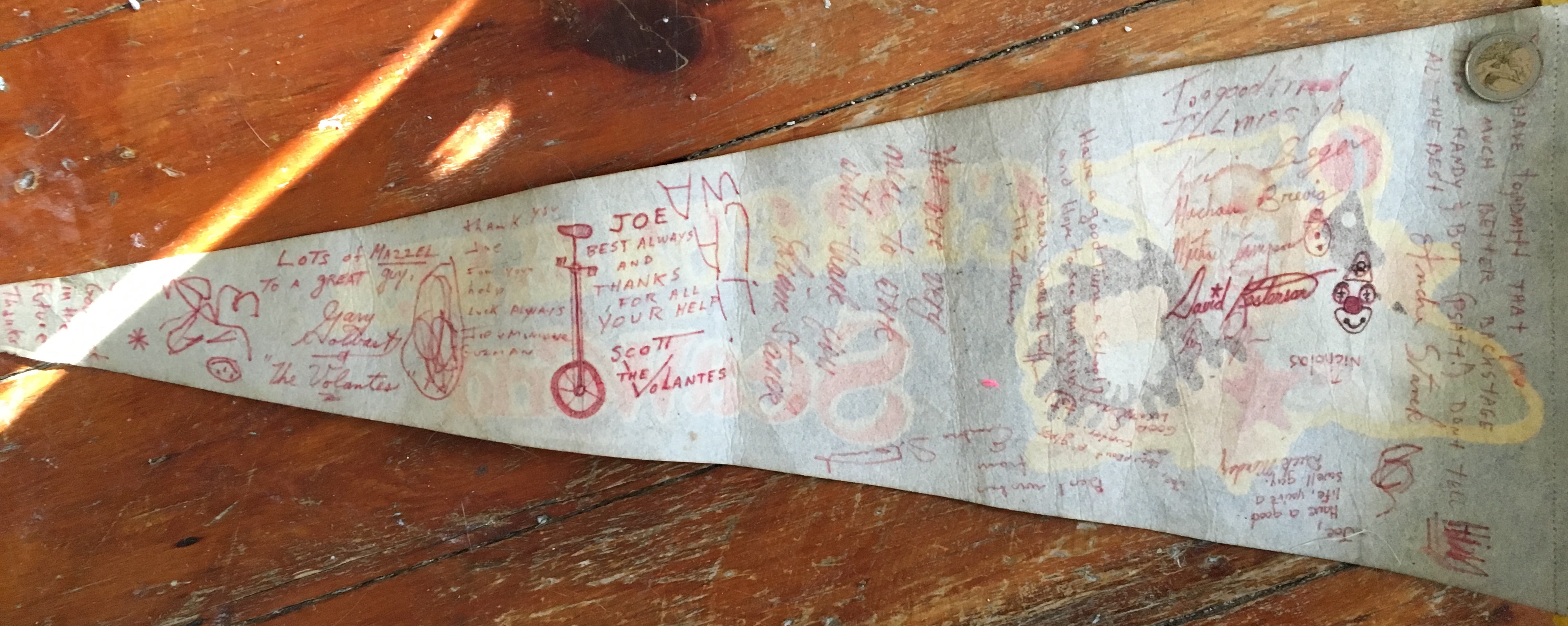
RIP

R.I.P. Scott Daniel Ugoretz.

February 24, 1964-October 28, 1988.

A site with some photos and a letter from someone who knew him.

10/26/2010

Some Personal–Career–Progress

Filed under: — Joe @ 9:02 pm

I’ve had a very good three years at Macaulay Honors College as Director of Technology and Learning. It’s been a good position, a good fit for me, and I have enjoyed the challenges and opportunities. But as is usual, I’ve been wanting more–more involvement with the “I” in “IT,” the “Learning” in “Technology and Learning.” I have ideas about curriculum and ideas about student projects and progress, and about faculty development and new initiatives.

So I’m pleased to say that my contributions and my eagerness to do more have been recognized and rewarded, and I’m now (as of September 1) Associate Dean of Teaching, Learning and Technology. Even with an official press release and announcement! :-)

This means a great deal to me personally, and a great deal to me professionally. I’m hoping and expecting that it will mean a great deal to the college and our students and faculty, too.

10/14/2010

WordCampNYC 2010

Filed under: — Joe @ 2:22 pm

It’s that time of year again, and I’m proud to be joining my fellow WordPressHeads at Baruch this weekend!

WordCampNYC – Oct 16-17

9/14/2010

Healing Update

Filed under: — Joe @ 7:58 pm

Two weeks gone by since the surgery (nearly) and the bandage and plastic cap came off today. So time for another grisly picture. Again, don’t click if you don’t like the sight of stitches in a wound (it’s really not too bad, but some folks are sensitive–until it heals a little more, and the stitches dissolve, I’ll probably be covering it up with bandaids at work), but it does give an idea of how quickly the healing can go, and now you can really see the metal abutment that is now a permanent part of my skull.

It feels fine, with no real pain, but it is a bit weird to touch that piece of metal and actually feel that it is a solid part of my skull. Hard to describe, but a weird sensation. I also had a few numb patches on my scalp for the first week and a half or so after the surgery, and in the last few days those stopped being numb, and as the sensation came back, they burned and tingled. Not too serious–about like a bad sunburn–and in only these few spots.

9/7/2010

The BAHA

Filed under: — Joe @ 7:50 pm

I’ve benefited a lot from reading others’ blog posts about these conditions/treatments. So I might as well write up my own.

Back in late 2007, I started hearing a fairly loud “whooshing” sound, in sync with my heartbeat, in my right ear. It started gradually, so I’m not sure exactly when it began, but by September or so it was bothersome enough that I went to the doctor. He took a look in my ear, didn’t see much, although it looked a little like I might have an ear infection (I’ve always been prone to those), so he gave me antibiotics. When that didn’t help at all, he sent me to an ENT.

She gave me a hearing test, and took another look at the ear, and said “well, it’s probably just age-related and loud-music-related tinnitus. You have a very slight hearing loss, although that is equal in both ears. But there’s a very small tiny chance–like no chance at all–that it could be a kind of tumor. I don’t think it’s likely, but let’s get you an MRI anyway.”

So I got the MRI, and the result of that was that the small tiny chance was the chance I had hit. I had a glomus jugulare tumor. Or a paraganglioma of the jugular foramen. Different names, same thing. These tumors are almost always benign…but I learned one thing from the whole experience, that “benign” is not the same as “harmless.” Benign is way better than malignant–the tumor wouldn’t be spreading to other parts of my body. But it was pretty big and it was still growing–and it was already partially occluding my carotid arteries, and ultimately could cause bad things like strokes and facial paralysis and an inability to swallow as it continued to grow and interfere with other structures (like the cranial nerves).

Not the worst diagnosis, but not a terrific one, and (interrupted by a bad gall bladder episode–another story entirely), I spent the spring of 2008 investigating and deciding what to do about it. My first response (and that of many of the people I talked to) was “get it out!” But that would have meant a long and complicated surgery (because of the size of the tumor and the way it had all those nerves and blood vessels wrapped up). A head and neck surgeon told me–”I could do everything perfectly–do the best surgery anyone could possibly do–and you could still wake up and be unable to swallow. Permanently. I don’t think you should have surgery for this.”

So the next option was radiation–and there were several varieties I was looking at. I was first attracted by the idea of “gamma knife” radiation, which would mean just one treatment. But the more research I did the less I felt sure that that was really going to control this tumor. I needed, if it was not going to be taken out, to be sure that it would be stopped (as sure as possible, at least).

So I had five weeks, five days a week, of radiation to my head. That was my summer of 2008. It wasn’t pleasant, but I didn’t have trouble with nausea or hair loss (as often happen) or with damage to my salivary glands or vision (which also happen, and scared me more). There was some fatigue–especially towards the end of the treatment and in the weeks right after. But basically it was a huge success–the tumor was stopped dead. Not gone, not even really shrunk (or not measurably), but killed and stopped from growing.

The worst side-effect, though, the most lasting one, was that I lost pretty much all the hearing in my right ear. The combination of the (dead) tumor itself, the scar tissue around it, and a thickening of that eardrum meant that in that ear I have about 10-20% of the hearing I should have. That makes it single-sided deafness.

We spent a year or so trying various remedies–there was a lot of fluid in the middle ear for a while, so I had a tube put in to drain that. We tried (early on) a course of steroids to reduce any inflammation in there. We waited to see if it would improve on its own. It never did.

Now, having a deaf right ear is not a disaster. The left ear works just fine. But in noisy environments (like rooms where more than one person is talking–and day-to-day life includes lots of those), having binaural hearing–two working ears–is what allows you to focus and direct your attention on the one person you need to hear and understand. I can’t do that anymore. And when someone is sitting (in a restaurant, in a meeting, in a movie, on an airplane, etc) on my bad side, unless there’s a wall on my good side for the sound to bounce into my good ear, I can’t understand what they’re saying. I have to turn my head all the way around. And I can’t locate the source of sounds, and I generally, unless I’m in a perfect listening environment (a quiet room with only one person talking to me and my head turned a little bit to aim my good ear right at the speaker), lose a bit of everything I hear. It makes me feel insecure and uncertain–sometimes confused–and understanding what’s going on around me takes work and concentration–and sometimes I’m unsuccessful even then. Certain kinds of professional (and social) interactions are just miserable for me.

It’s an invisible disability, and it’s frustrating. I feel like an idiot lots of times–saying “what?” over and over again. Or worse, trying to figure out by context or the little bit I can hear or guessing what the person is saying, and then guessing wrong, and then appearing to be even more of an idiot.

So when the doctor proposed a solution, I was very interested. Normal hearing aids would not work for this kind of deafness (the middle ear is blocked, and sounds really don’t get past the blockage, even if they’re amplified). But there was another possible solution. That solution was the “baha” (some confusion about whether that’s an acronym or a trademarked word or what–but at least at one point it stood for “bone-anchored hearing aid.”)

Ultimately, this is going to mean that a small (like the size of a small matchbook) processor on the side of my head behind my bad ear will receive all the sound that that ear should receive, and convert that sound to vibrations which will travel (through a permanent titanium implant) into the solid bone of my skull and then to my functioning, listening, cochlea and auditory nerves.

The demonstration I tried (using the device pressed against my scalp–so the vibration had to go through the skin and tissue first rather than directly into the bone) was just mind-blowing. It was truly amazing how much better I could hear, and the real thing will be even better than that.

photo from cochlear americaSo last week I had the first stage–a small surgery (outpatient) to peel back a little rectangle of skin, remove the hair follicles from that rectangle (hair would interfere with the connection), drill a hole in my skull (not all the way through) and put a screw in that hole. Then a small “abutment” attaches to that screw. And in a few months (after the titanium screw “osseointegrates” (a cool thing that titanium does–or that the body does with titanium–it actually becomes part of the bone so there is a complete and permanent connection), I will get the device (the BP100) which snaps on to that abutment.

I had general anesthesia. I gather that this isn’t always the way it’s done, but that’s the way my doctor did it. I had a lot of waiting in the hospital before the procedure began (about two hours), so that was a drag, and of course no food since the night before, and no anti-inflammatories so my back hurt at night so I didn’t sleep well, so I was tired and hungry and irritable during those two hours. But I woke up feeling OK, with little or no pain at the site. In fact, the worst part of it was that I was intubated during the surgery (maybe because I have asthma? I gather that they don’t always do that, either). So my throat had a deep soreness for about two days afterwards. And I felt kind of groggy and achy from the anesthesia generally for those same couple of days. The site itself hurt only very little–easily controlled with extra-strength tylenol–and even that only two or three times a day for the first few days, and just at bed time for a couple more days after that. I’ll post a picture (it’s not too gross, but only click if you can stand the sight of a little dried blood). I have a cap attached to the abutment, which holds a pink spongy bandage type thing over the wound. That’s it.

The device will snap on and off (it’s designed to–it’s not waterproof so has to come off when I shower or swim). But the screw and abutment are with me forever now. It’s a tiny enough implant, and titanium is non-reactive enough, that I shouldn’t have trouble with metal detectors at airports and so forth (although they gave me a card to carry in my wallet to explain that) and MRI’s in the future will be no problem. But I will always have a small metal bud or knob sticking out of my head behind my ear–whether there’s a processor device snapped on to it or not.

So now I have to wait a few months, let it totally heal, and get the device attached. Then I’ll post again.

1/29/2010

Vassar Talk Tech

Filed under: — Joe @ 4:07 pm

Talk Tech I had a great time talking to the guys at the Vassar Talk Tech radio broadcast (WVKR 91.3) this week. Not only did I get to talk about eportfolios (always good), but was able to stay and discuss the iPad.

Thanks, guys!

11/11/2009

WordCamp NYC Coming Up

Filed under: — Joe @ 1:58 pm

Coming this Saturday, and it should be a great day. I’ll be on the roundtable on the future of WordPress in Education, and presenting my own eportfolio spiel:

Eportfolios are (too often) seen as tools for assessment, for assignments, or for career placement. But thanks to WordPress and BuddyPress, at Macaulay Honors College, we’ve been able to set up an entirely flexible and free tool, allowing students (and faculty, and instructional technology fellows) to redefine the term “Eportfolio” and to let them each create a “Cabinet of Curiosities” or a “Museum of Me,” which promotes reflection, interaction, and truly integrative learning. These eportfolios are student-driven and student-designed, and the flexibility of WordPress allows us to watch as students forge new paths, and create an eportfolio model which is new in higher education, and which has the potential to work for students beyond the classroom, beyond the college.

10/28/2009

21 Years

Filed under: — Joe @ 5:28 pm

RIP
Even still it’s a sharp pain–it doesn’t really lose the edge.

R.I.P. Scott Daniel Ugoretz.

February 24, 1964-October 28, 1988.

10/21/2009

Apples and Oranges and Lectures and Learning

Filed under: — Joe @ 12:30 pm

photo by Dano http://www.flickr.com/photos/mukluk/I recently read (unfortunately, I can’t find the reference, or where I read it–it was in print, not online, believe it or not–so this will have to stand as anecdotal) about a study at a school using lecture capture technology. The study compared students’ use of recorded lectures (made available on the web) in two different classes (same academic subject, covering the same content). In one course, the professor lectured through the whole class period, with almost no opportunities for interaction (he took questions at the end) or any activity by students except for listening and note-taking. In the second course, the professor lectured for only brief periods, asking students to step forward and present at various points in the class or to repeat questions that they had sent to him in emails, and integrating discussions and questions throughout the class.

Both classes were recorded–audio and video–and made available to students afterwards. In both cases, standard, simple, lecture capture (a fixed camera, a microphone on the professor and an omni-directional microphone in the room) tools were used.

When the recordings were made available, it turned out that students accessed and viewed the second class–the one that included interaction and active participation from students–even though much of that interaction was not well-captured in the videos. They reported in interviews that they found the class itself to be interesting and engaging, and wanted to review what the professor had said–they felt (does this seem paradoxical?) that they were so interested in class that they might have missed something.

The first class, the captured straight lecture, was not one that students accessed or viewed at all. A few students viewed the page, but interviews afterwards showed that they did not bother to watch more than the first few minutes of the recording. It wasn’t something that they felt was useful either in reviewing for studying, or for understanding the material.

And beyond that, students reported that, because the full lecture was available online, they didn’t feel they needed to bother to attend class–and attendance did, in fact, dip significantly after the first few sessions. So not only were they not using the captured lectures, they were less likely to even attend the actual, in-person lectures. That didn’t happen in the more interactive class–students there continued to attend–felt that they would miss something important if they didn’t, even though the recordings were available.

I’ve been thinking about this, because it reinforces something I’ve always noticed myself, but also because there are some surprises there. I’ve always had big reservations about lecture capture (which unfortunately, too often, is the only model used when thinking about podcasting in higher ed, and even more unfortunately, when thinking about what administrators call “distance learning”). It seems to me that a good lecture (and they do exist, and they are a good thing) is very much a live performance–and it depends to a large extent on that context of live performance for its effectiveness. A recording can have some value–but it’s not a transparent representation. It’s a re-presentation. So it’s taking the performance out of its native medium, plopping it into another, different medium. It loses all the advantages of the original (live, face-to-face) medium, and it gains none of the advantages of the new (online, asynchronous) medium. (The term “lecture capture” is a significant one. It captures the lecture–nails it down, cages it)

This is why, to me, an “online class” (or “distance learning”) is at its least effective, its least interesting, when it’s a series of recorded lectures–unless (which is very rare) those lectures are specifically and intentionally produced for the new medium–then they’re mini-films. An online class should be designed for the online medium–to take advantage of the affordances (hyper-links, multimedia, asynchronicity, threaded discussion, etc., etc) of that medium.

But that study made me think more of an “apples and oranges” question. While confirming my own experience that straight capturing of a straight lecture is pretty much a waste of time and technology (and may even decrease student learning–that was a bit of a surprise to me), that study also indicates that a “lecture” is not always exactly a lecture. When I think of comparing two classes, or two captures, I want to remember to also think of comparing apples to apples.

People often talk about how online classes are necessarily inferior to face-to-face classes, but they say this with built-in assumptions. They compare a terrible online class with an excellent face-to-face class. Similarly, I think that study indicated that it’s not just the fact of the recording that is important–it’s what has been recorded. A good class is still valuable as a recording (contrary to my own automatic assumption). It’s the quality of the class, not the recording, that makes students want to return to it, to think about it, to come back for more.

Faculty development (even with all its varieties and all its difficulties) should always focus on the goal of making classes better–which is always a matter of making students more active, more engaged. Then everything will be apples. And it’s good to remember that sometimes the fact that a class is interesting, is engaging, actually means that students don’t get all they can out of the class–they want to, and need to, return to it again. So in those cases, the recording just might be a useful thing for them.

22 queries. 1.953 seconds. Powered by WordPress version 3.5.1
Creative Commons License This work is licensed under a Creative Commons Attribution-Noncommercial-Share Alike 3.0 United States License.